
Welcome to PME Documentation
Pie Menu Editor (PME) is a Blender add-on originally created by roaoao in 2016. It lets you build pie menus, regular menus, pop-up dialogs, macros, and custom panels without writing code, so you can customize Blender’s interface freely.
New in PME 2.1
Vector Menu is a new menu inspired by Maya’s marking menus, designed around Blender workflows and PME’s freedom to customize. Run actions with mouse gestures without waiting for the menu to appear, or display the items and select one. Navigate into child Vector Menus and back to their parents, customize eight directions and two extra slots above and below, and include Floating Panels.
Context Router is the successor to Context Sensitive Menu. Configure menus and actions to switch with the current mode or selection through the UI, and choose what happens when no condition matches. Embed it in a Pie Menu, Popup Dialog, or existing panel to change the contents displayed in place.
Property Stack combines multiple settings and conditions into one switch. Check whether all or any conditions match, and choose which values change when the switch turns on or off. Its While True HUD can display a message or border in a chosen editor while the conditions are met.
Pie Menu Editor Fork 2.1 Beta Overview
Discover what’s new in PME-F
New features, workflow improvements, and bug fixes. This is the most detailed record of PME-F’s development.
Menus & Dialogs
Keep essential actions easy to open and easy to reach.
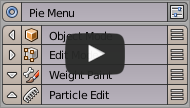
Group frequently used actions into a radial menu. Nested menus and embedded panels are also supported.
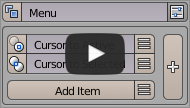
Create dropdown menus for hotkey access or integration into existing Blender menus.
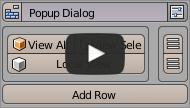
Build widget layouts that can appear in menus, dialogs, panels, or toolbars.
Create floating panels that stay open while you work. This beta mode shares the same slot structure as Pop-up Dialog.
Keys & Shortcuts
Get more range out of fewer keys.
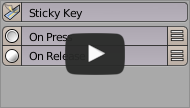
Assign different actions to key press and key release. Useful for temporary tools and mode switching.
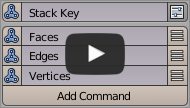
Assign multiple commands to one hotkey and cycle through them with repeated presses.
Operators & Automation
Turn repeated steps into actions you can reuse quickly.
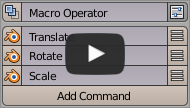
Combine existing Blender operators into a new action. Well suited for recurring workflows.
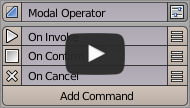
Create interactive operators that adjust values while they run in response to keys and mouse input.
Interface & Properties
Organize Blender’s UI and data into a shape that fits your work.
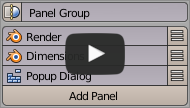
Insert your own menus into existing Blender menus and panels. You can also control placement and order.
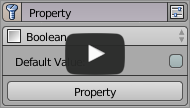
Define custom properties with Getter and Setter support, and register them on any Blender data block.
Reorganize side panel tabs and panel structure. Useful for custom categories and extending existing UI.
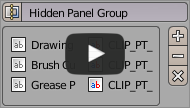
Hide unused panels and groups to keep your workspace clean and focused.
Do I need programming knowledge?
No. PME can be used without programming. If you use Python, you can customize it even further.
Where to Get It
Pie Menu Editor Fork is available on Gumroad and Lemon Squeezy. It supports currently maintained Blender LTS releases and newer Blender versions where PME has been validated.
Community
Blender Artists Forum: Questions, bug reports, and customization examples
Related Links
Getting Started