Hiding Unused Panels
Hidden Panel Group collects Blender and add-on panels in a list and hides them together. Hide panels you do not use, then turn off the group’s hiding settings when you need them again. This does not remove panel data or uninstall add-ons.
This page describes PME 2.1 settings.
Interface and editing workflow
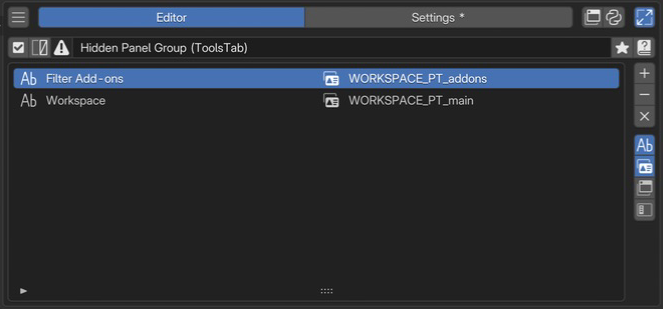 1Name and enabled stateCheck the name and enabled state of the group of panels to hide.
2Target panel listReview panel labels and class IDs side by side, and add or remove targets.
Select a Hidden Panel Group in the menu list, then add panels to hide in the list on the right. See Common Editor Elements for shared list and tag controls.
Check the group in name and enabled state.
Choose targets from the add menu.
Check panel names and classes in the list information.
Verify that panels disappear and return when released.